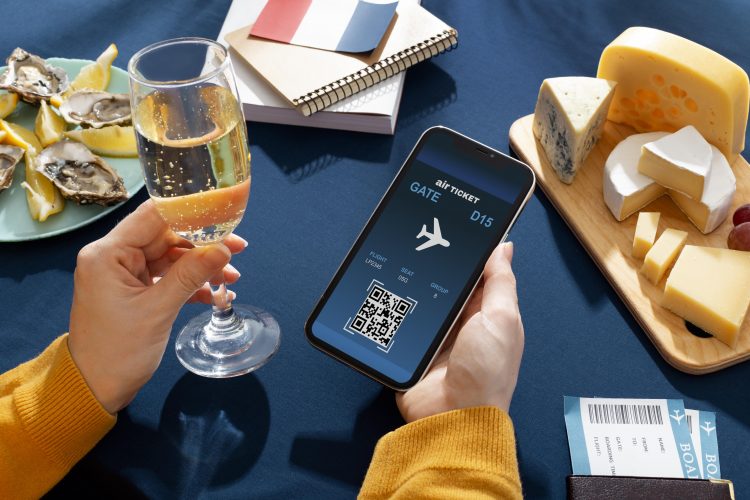



Managing an event is exciting, but it can also become overwhelming fast. You are not just choosing a date and inviting people. You are managing registrations, ticket types, attendee details, payments, seating, confirmation emails, guest lists, and check-ins.
When these tasks are handled manually, even a small mistake can create stress. A missed registration, duplicate booking, delayed ticket email, or unclear attendee record can affect the event experience for both organizers and guests.
That is why using an event planning website is no longer just a convenience. It is one of the smartest ways to keep your event organized from the first registration to the final check-in.
At Event Booking Plus, we help organizers manage the full event journey in one place. From creating event pages and selling tickets to tracking attendees and scanning QR codes at entry, our platform is designed to make guest list management easier, faster, and more reliable.
Why Guest List Management Matters More Than You Think
A guest list is more than a list of names. It is the foundation of your event operations.
A well-managed guest list helps you understand:
- Who registered for the event
- Which ticket type each attendee selected
- How many tickets were booked
- Whether seat selection is required
- Which orders are completed
- What attendee details were submitted
- Who has checked in on event day
When this information is scattered across emails, spreadsheets, payment apps, and handwritten notes, it becomes harder to manage accurately.
With Event Booking Plus, every booking is automatically connected to your event dashboard. That means attendee information, ticket details, order records, and check-in data stay organized in one central platform.
Start with an Organized Event Setup
Before you can manage a guest list properly, you need a clear event structure.
Event Booking Plus allows admins and organizers to create dedicated organizer profiles. This is especially useful for businesses, associations, event teams, community groups, and professionals who manage multiple events.
Organizer profiles can include:
- Organizer name
- Email address
- Organization description
- Organization type
- Event category
- Social media links
Once the organizer profile is created, events can be added and managed under that organizer’s dashboard. This keeps event data clean, separate, and easy to access.
For teams managing conferences, workshops, seminars, auditorium programs, corporate events, or community gatherings, this structure helps avoid confusion and gives every event its own organized space.
Create Event Pages That Give Attendees Clear Information
Your event page is often the first place attendees go before booking. A strong event page builds confidence and reduces unnecessary questions.
With Event Booking Plus, organizers can create dedicated event pages with important details such as:
- Event title
- Event description
- Start date and time
- End date and time
- Venue or address
- Event status
- Ticket options
- Seating availability
- Location details
- Social media links
Once an event is created, it appears as an event card in the dashboard. Organizers can open the event dashboard to manage tickets, orders, attendees, customization, surveys, check-ins, and other settings.
This makes it easier to manage multiple events without mixing up registrations, ticket records, or attendee information.
Build Ticket Types Based on Your Event Needs
Every event is different. Some events need general admission tickets. Others may require VIP passes, member tickets, early-bird pricing, reserved seating, or different access levels.
Event Booking Plus gives organizers flexible ticket management options. You can create ticket types with details such as:
- Ticket name
- Ticket price
- Ticket quantity
- Ticket description
- Booking availability date
- Maximum tickets allowed per attendee
This gives you better control over how tickets are released and how attendees book.
For example, you can schedule tickets to become available on a specific date, limit how many tickets one person can book, or create separate ticket categories for different attendee groups.
This helps prevent overbooking and keeps your guest list accurate from the beginning.
Support Seat Selection for Venue-Based Events
For auditorium events, theatre-style programs, conferences, and hall-based gatherings, seating can be a major part of the attendee experience.
Event Booking Plus supports seat selection for events that require assigned seating. When enabled, attendees can choose their preferred seats from a seating map during the booking process.
This is helpful for:
- Auditorium events
- Theatre-style programs
- Conferences
- Seminars
- Stage shows
- Reserved seating events
For events that do not need assigned seating, organizers can use standard ticket-based entry.
This flexibility makes Event Booking Plus suitable for both simple registration events and structured venue-based events.
Share One Dedicated Event Page URL
Once your event is ready, Event Booking Plus provides a dedicated event page URL that can be shared with your audience.
You can promote your event link through:
- Your website
- Social media posts
- Email campaigns
- WhatsApp messages
- Digital ads
- Direct invitations
- Community groups
Attendees can visit the event page, review the details, choose tickets, enter their information, complete payment, and receive their ticket by email.
This creates a smooth booking journey and removes the need for organizers to manually collect registrations one by one.
Collect the Right Attendee Details During Booking
Good guest list management depends on good attendee data.
Event Booking Plus allows attendees to enter their details during the booking process. Organizers can also create custom questions or surveys to collect additional information based on the ticket type.
You may collect details such as:
- Contact information
- Organization name
- Member ID
- Special access requirements
- Guest preferences
- Additional attendee information
- Event-specific responses
This helps organizers gather useful information before the event instead of sending separate follow-up forms later.
The collected responses are stored with attendee details, making it easier to prepare for the event and personalize the experience when needed.
Manage Orders and Attendee Records in One Dashboard
After a booking is completed, the order is recorded inside the event dashboard.
The Orders section helps organizers view:
- Attendee names
- Ticket selections
- Seat details, when applicable
- Payment status
- Booking details
- Order records
- Custom question responses
This creates a guest list that updates automatically as people register.
Instead of editing spreadsheets every time someone books a ticket, Event Booking Plus records the information for you. This reduces manual work, improves accuracy, and gives organizers a clearer view of event activity.
For teams handling multiple events, this centralized dashboard can save valuable time and reduce last-minute stress.
Send Ticket Emails Automatically
Attendees expect confirmation after they book. If they do not receive a ticket or confirmation email quickly, they may become confused or contact the organizer for support.
Event Booking Plus helps simplify this process by sending ticket details automatically after a successful booking.
The ticket email can include important booking information and QR code details for check-in. This gives attendees confidence that their registration is complete and helps organizers reduce manual follow-up.
A smoother confirmation process creates a better attendee experience before the event even begins.
Speed Up Event Check-In with QR Codes
Check-in is one of the most important moments of the event experience. Long lines, missing names, and unclear records can make an event feel disorganized.
Event Booking Plus supports QR code-based check-ins. On event day, organizers can scan the QR code from an attendee’s ticket and mark them as present.
The check-in section helps organizers track:
- Who has arrived
- Who has not checked in yet
- Which ticket was scanned
- Whether a QR code has already been used
- Attendance status
This makes entry management faster and more accurate.
For busy events, QR check-in can reduce waiting time, prevent duplicate entry issues, and give organizers real-time visibility into attendance.
Update Event Details Whenever Needed
Event details can change. Timings may shift, venue information may need updating, or descriptions may need edits.
The Customize section in Event Booking Plus allows organizers to update important event details without rebuilding the event from the beginning.
You can adjust event information such as:
- Title
- Description
- Address
- Dates
- Event settings
- Other key details
This helps keep your event page accurate and ensures attendees always see the latest information when they visit the booking page.
A Smarter Way to Manage Your Guest List
Using an event planning website helps organizers move away from scattered manual processes and into a more organized digital workflow.
With Event Booking Plus, you can:
- Create organizer profiles
- Build dedicated event pages
- Manage multiple ticket types
- Schedule ticket availability
- Enable seat selection
- Collect attendee details
- Track orders
- Send ticket emails
- Manage QR code check-ins
- View event activity from one dashboard
A successful event depends on more than promotion. It depends on how well registrations, ticketing, attendee records, payments, and check-ins are managed.
Event Booking Plus gives organizers the tools to handle these details with confidence, helping create a smoother experience for attendees and a more organized workflow for event teams.
Ready to Manage Your Next Event More Efficiently?
Your guest list should not be a source of stress. With the right event planning website, you can simplify registrations, reduce manual work, improve check-in speed, and give attendees a professional booking experience.
Event Booking Plus helps you manage everything from one platform — from event setup to final attendance tracking.
Start building your next event with a system designed to keep organizers and attendees connected at every step.
FAQs
1. What is an event planning website?
An event planning website is a digital platform that helps organizers create event pages, manage ticket bookings, collect attendee details, process payments, track orders, and handle check-ins from one place.
2. How does Event Booking Plus help with guest list management?
Event Booking Plus automatically records attendee details when a booking is completed. Organizers can view names, ticket types, seat selections, payment status, order details, and check-in status from the event dashboard.
3. Can I create multiple ticket types in Event Booking Plus?
Yes. Event Booking Plus allows organizers to create multiple ticket types with different names, prices, quantities, descriptions, availability dates, and booking limits.
4. Does Event Booking Plus support seat selection?
Yes. Event Booking Plus supports seat selection for events that require reserved seating. Attendees can choose available seats during the booking process when this option is enabled.
5. How does QR code check-in work?
After booking, attendees receive ticket details by email. On event day, organizers can scan the ticket QR code to verify the attendee and mark them as checked in, making attendance tracking faster and more accurate.