


So, your first event was a hit. Now you’re thinking bigger , literally. Taking your startup event on the road to multiple cities is a powerful way to grow your brand, connect with new audiences, and build real momentum.
But let’s be honest: a multi-city roadshow isn’t just “the same event repeated several times.” It’s a logistical puzzle. Different venues, ticket structures, attendee expectations, and on-the-ground operations can quickly become difficult to manage.
That’s where Event Booking Plus comes in. We help startups manage every part of the process , from creating city-specific event pages to tracking check-ins and collecting attendee insights , all from one centralized dashboard.
No spreadsheets. No missed details. Just smooth, scalable roadshows.
Why a Multi-City Roadshow Is a Game-Changer for Startups
Think of a roadshow as your startup’s mobile stage. It allows you to show up where your customers, investors, and partners actually are. Instead of relying only on digital campaigns, you create face-to-face connections that build trust and drive action.
Key benefits of a startup roadshow include:
- Launching products in new markets with real-time feedback
- Building investor and partner relationships beyond your home base
- Running local customer education sessions that resonate
- Generating qualified leads in multiple regions at once
- Collecting authentic attendee insights you can’t get from a form alone
But here’s the catch: each new city adds complexity. Different ticket types, local taxes, seating layouts, and check-in workflows can overwhelm even the most organized team.
That’s why you need a platform designed for scale , not just for a single event.
1. Start With a Clear, Replicable Event Structure
Before you create a single event page, map out your roadshow’s core structure. Are you running the exact same agenda in every city, or will you adjust it based on the local audience, venue, or market needs?
Typical roadshow components may include:
- Keynote session
- Product demo or live walkthrough
- Networking or meet-the-founder hour
- Investor roundtable or pitch session
- VIP ticket category with limited access
- Free general admission tickets for lead generation
With Event Booking Plus, you can create multiple events under one organizer profile. Each city gets its own dedicated event page, while you manage everything from a single, intuitive dashboard.
Pro tip: Use organizer-level profiles to separate events by region, team, or campaign type. This is especially useful for agencies or startups with distributed teams.
2. Build a Dedicated Event Page for Every City
Nothing confuses attendees more than landing on a generic “roadshow page” with vague location details. Each city in your roadshow deserves its own clear, shareable event page.
With Event Booking Plus, every event page can include:
- Event title and compelling description
- Start and end dates with timezone clarity
- Venue address and map link
- Available ticket types with pricing
- Social media links for easy sharing
- Custom branding options
Once created, each event appears as a card in your dashboard. You can click into any city to access its dedicated event dashboard, where you’ll manage tickets, orders, check-ins, surveys, and more.
No digging through messy folders. No confusion about which event belongs to which city.
3. Simplify Ticket Creation and Sales Across Cities
Ticket management can make or break your roadshow. Some cities may sell out quickly, while others may need early-bird discounts or free community tickets. You need flexibility , and you need it fast.
Event Booking Plus gives you per-ticket control over:
- Ticket name and price, including free tickets
- Quantity available
- Ticket description
- Booking availability window
- Maximum tickets per person
- Optional seat selection
Want tickets to go live the moment your campaign launches? Schedule them in advance. Need to offer member-only pricing? Create a separate ticket type and limit availability.
For paid events, the platform can calculate taxes and service fees and display a clear booking summary before checkout.
4. Handle Seat Selection When Your Venue Requires It
Not every roadshow event needs assigned seating. But if you’re hosting in an auditorium, theater, or conference hall with reserved sections, seat selection becomes essential.
Event Booking Plus includes interactive seat maps where attendees can choose their exact seat during checkout. This is ideal for:
- VIP sections at product launches
- Paid seminars or workshops
- Investor dinners with assigned tables
- Events where seating order matters
If seat selection isn’t needed, you can keep things simple with standard entry tickets. The choice is yours for each event.
5. Collect Attendee Data That Actually Matters
For startups, attendee data is valuable. A name and email address are just the starting point. You may also need to know company size, job role, investment interest, product feedback, or other details that support your next move.
With custom surveys and questions in Event Booking Plus, you can ask:
- “What’s your biggest challenge in this industry?”
- “Are you interested in a follow-up demo?”
- “What’s your company’s current funding stage?”
- “Do you have any dietary restrictions or accessibility needs?”
You can assign questions to specific ticket types. For example, you can ask VIP ticket holders for their LinkedIn profiles, while free attendees only provide basic contact details.
All answers are stored in attendee records, ready for export or CRM integration.
6. Streamline Check-Ins With QR Code Scanning
The day of the event should be about connecting with attendees, not managing clipboards. Manual check-ins are slow, error-prone, and can create a poor first impression.
Event Booking Plus generates a unique QR code for every ticket email. When attendees arrive, your team can scan the code from a phone or printed ticket, and the system instantly marks them as attended.
Benefits include:
- No more guesswork about who showed up
- Faster entry lines
- Real-time attendance data across all cities
- Reduced staffing needs at the door
- More accurate event reporting
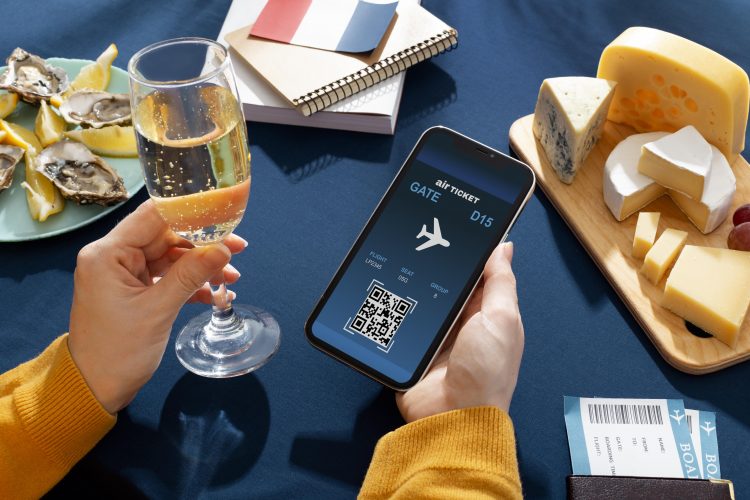
Think of it like airport check-in , but simpler, faster, and built for your event team.
7. Learn and Improve With Every Roadshow Stop
A multi-city roadshow shouldn’t be a guessing game. You need to know what worked in one city so you can improve the next stop.
Event Booking Plus provides dashboard insights on:
- Which city had the highest ticket sales
- Which ticket type performed best
- Actual check-in rates compared to bookings
- Most useful survey responses
- Peak booking times to optimize marketing
These analytics help you refine everything from pricing and session length to venue selection and follow-up strategy. Each stop becomes smarter than the last.
Why Event Booking Plus Is Built for Startup Roadshows
Event Booking Plus is more than a basic ticketing tool. It is a complete event management platform designed for organizers who want to scale without operational stress.
| Feature | How It Helps Your Roadshow |
| Organizer profiles | Manage multiple cities under one login |
| City-specific event pages | Create clear, local, shareable event URLs |
| Paid and free ticketing | Support flexible models for different markets |
| Seat selection | Manage reserved seating for VIP venues |
| QR code check-ins | Speed up entry and improve attendance tracking |
| Custom attendee surveys | Collect the data your team actually needs |
| Order and attendee records | Keep all booking information in one place |
| Event customization | Update event details whenever needed |
Ready to Scale Your Startup Event?
You don’t need a massive operations team to run a successful multi-city roadshow. You need the right system.
Event Booking Plus helps you save time, reduce manual work, and focus on what matters most: creating memorable experiences in every city you visit.
Start your free trial today or schedule a demo to see how Event Booking Plus helps startups grow from one event to many.
Frequently Asked Questions
1. What’s the best way to manage a multi-city startup roadshow?
The best way is to use an all-in-one event management platform like Event Booking Plus. You can create separate event pages for each city, manage tickets and orders from one dashboard, track check-ins with QR codes, and collect attendee data without juggling spreadsheets or multiple tools.
2. Can I sell both paid and free tickets for different cities in the same roadshow?
Yes. Event Booking Plus supports paid tickets, free tickets, and flexible ticket options. You can customize ticket types for each city based on your goals, whether you’re focused on lead generation, revenue, or VIP access.
3. How does QR code check-in work for multi-city events?
Each attendee receives a unique QR code with their ticket. At the venue, your team scans the code using a smartphone or tablet. The system verifies the ticket and marks the attendee as present, helping you track check-ins across all cities.
4. Can I collect custom information from attendees during registration?
Yes. Event Booking Plus allows you to create custom survey questions and assign them to specific ticket types. For example, you can ask VIP ticket holders for dietary restrictions or ask investors about their business interests.
5. What if I need to change event details after publishing?
You can update event details after publishing. Use the customization options to edit event titles, descriptions, dates, venue addresses, ticket availability, and more. Changes can be updated without rebuilding the event page.
Event Booking Plus , built for organizers who think big. Start your multi-city journey today.